Compile php8.1 on Debian11

Preparations :

apt install build-essential libapparmor-dev libxml++2.6-dev libxml2-dev libkrb5-dev krb5-multidev libcurl3-openssl-dev libcurl4-openssl-dev libgnutls-openssl-dev libgnutls-openssl-dev librust-openssl-0-dev librust-openssl-0.10-dev libbz2-dev libpng-dev librust-png-0-dev librust-png-0.15-dev librust-png-0.15.0-dev libwebp-dev libjpeg-dev libjpeg62-turbo-dev libmjpegtools-dev libturbojpeg-dev libturbojpeg0-dev libjpgalleg4-dev libfreetype-dev libfreetype6-dev libldap-dev libsasl2-dev libpq-dev libpspell-dev libargon2-dev libargon2-0-dev libtidy-dev libxslt1-dev libxslt-dev libzip-dev libzip-ocaml-dev libzip-ocaml-dev-l8p50 libsqlite3-dev libonig-dev

Download php sources:

cd /usr/local/src/
wget https://www.php.net/distributions/php-8.1.13.tar.gz
tar xzvf php-8.1.13.tar.gz
cd php-8.1.13/

Configure:

./configure \
--prefix=/opt/php-8.1 \
--with-config-file-scan-dir=/opt/php-8.1/lib/mods-enabled \
--with-pdo-pgsql \
--with-zlib-dir \
--with-freetype \
--enable-mbstring \
--enable-soap \
--enable-calendar \
--with-curl \
--enable-gd \
--with-pgsql \
--disable-rpath \
--with-bz2 \
--with-zlib \
--enable-sockets \
--enable-sysvsem \
--enable-sysvshm \
--enable-sysvmsg \
--enable-pcntl \
--enable-mbregex \
--enable-exif \
--enable-bcmath \
--with-mhash \
--with-zip \
--with-pdo-mysql \
--with-mysqli \
--with-mysql-sock=/var/run/mysqld/mysqld.sock \
--with-jpeg \
--with-webp \
--with-openssl \
--with-fpm-user=www-data \
--with-fpm-group=www-data \
--enable-ftp \
--with-imap-ssl \
--with-kerberos \
--with-gettext \
--with-xsl \
--enable-opcache \
--with-gmp \
--with-tidy \
--enable-intl \
--enable-fpm \
--with-pspell \
--with-password-argon2 \
--with-pear \
--with-ldap \
--with-ldap-sasl \
--with-fpm-apparmor

Build & Install:

make && make install 

You can found your php under:

/opt/php-8.1/


Image/Logo:
From Colin Viebrock – http://php.net/logos, CC BY-SA 4.0, https://commons.wikimedia.org/w/index.php?curid=9632398
Es scheint, als könnten wir nicht finden, wonach du suchst. Vielleicht hilft eine Suche?

XEN & Hetzner & Subnets & MAC Adressen

Ein großes Problem

Man wächst mit Veränderungen und deren Anforderungen. So auch bei Hetzner. Seit ca. 2010 bediene ich für verschiedene Arbeitgeber, Kunden und eigene Selbständigkeit den Hetzner Robot und damit, so einige Server. Und seit je her wird mit der freien XEN Variante auf Debian virtualisiert. Und seinerzeit gab es sogar Hilfestellungen von Hetzner selber, mit Anleitungen im ehem. Hetzner-Wiki, welches mittlerweile ersetzt worden ist. Die XEN Artikel wurden dabei nicht mehr berücksichtigt.

Fragt man beim Support an, ist die Antwort die man eigentlich seit Jahren bekommt: Kein Support für XEN.

Hat man nun ein Subnet für einen Server dazu gebucht, war es bis vor einiger Zeit möglich, mit XEN eine VM zu erstellen, für die XEN eine zufällige MAC Adresse vergeben hat. Das hat Jahrelang sehr gut funktioniert.

Der Unterschied bei einem Subnet bei Hetzner, verglichen mit einer Einzel-IP, das man von Hetzner keine MAC Adressen zugewiesen bekommt. Die Möglichkeit gibt es aber bei den Einzel-IP’s. Hier kann man sich eine MAC Adresse zuweisen lassen.

Nun ist Hetzner auf die Idee gekommen, das sie keine «fremden» MAC Adressen mehr dulden. Scheinbar werden die Netze dort darauf hin überwacht. Sendet eine VM also zu lange mit einer fremden MAC Adresse Pakete, schlägt deren Wachhund an und meldet das. Man bekommt dann nur kurz Zeit um das zu beheben und zu begründen, bevor einem die IP dann gesperrt wird.

Der einzige Hinweis den man bekam, war das man das Subnet intern anders routen muss. Nach viel hin und her mit dem Hetzner Support, schien es so, als wenn man immer wieder gegen eine Wand läuft! Ich kann vermutlich, wenn ich all die Mails dazu ausdrucke, mein Büro damit tapezieren. Viele Stunden, verbunden mit reichlich Ärger und auch blanken Nerven zogen ins Land. Ich bin mir sicher die wissen wie es geht. Warum so verdammt Stur und damit auch Kunden unfreundlich? Verdienen doch an dem Server, den ich grad bearbeite! Hetzner lässt einen lieber im Regen stehen.

Die Abstände, sich nochmal dazu aufzuraffen, es nochmal zu versuchen und wieder mal zu riskieren, das Hetzner motzt, vergrößerten sich. Eigentlich aufgegeben.

Lösung:

Nun war es aber doch mal wieder soweit. Das Thema lag mal wieder auf dem Tisch und ich begann nochmals nachzulesen. Eigentlich müsste ich alle Ergebnisse bereits durch gearbeitet haben, die das große Orakel namens Google so präsentiert, aber da viel mir noch diese eine Sache auf:

xl network-attach YOUR-DOMAIN bridge="YOUR-DEVICE" ip="xxx.xxx.xxx.xxx/29"

Setzt man nun noch das default-gw für das Subnet richtig, dann kann man die IP’s in dem Subnet für VM’s mit XEN generierten MAC Adressen nutzen.

XEN kümmert sich selber um das restliche Routing. Schaut man nun mit

tcpdump -i YOUR-DEVICE -en | egrep -i 'xx:xx:xx:xx:xx:xx'

nach der MAC Adresse die XEN vergeben hat, sollte hier eigentlich nichts mehr aufschlagen. Und wenn hier nichts mehr aufschlägt, sollte sich auch Hetzner nicht mehr wegen verbotenen oder falschen MAC Adressen beschweren.

Es sieht im Moment so aus, als könnten wir wieder endlich unsere Subnet’s nutzen.

Ich hoffe dieser Artikel hilft irgendwem anderes da draußen, dann sich das ge-tippe wenigstens gelohnt.

Es scheint, als könnten wir nicht finden, wonach du suchst. Vielleicht hilft eine Suche?

backup a m365 mailbox with imapsync

The task was to backup a m365 mailbox with 50GB mailbox size.

The largest folder was the archive folder with a stately size of over 30GB.

After a long search I found imapsync.

In my case, this was the best option:

./imapsync \
 --folder Archiv --addheader --useuid --automap --logfile sync.log --maxsleep 10 \
 --host1 outlook.office365.com --user1 email@contoso.com --password1 YourHolyPa$$word1 --timeout1 48000 --delete1 \
 --host2 mybackupmailserver.com --user2 email@contoso.com --password2 YourHolyPa$$word2 --timeout2 48000

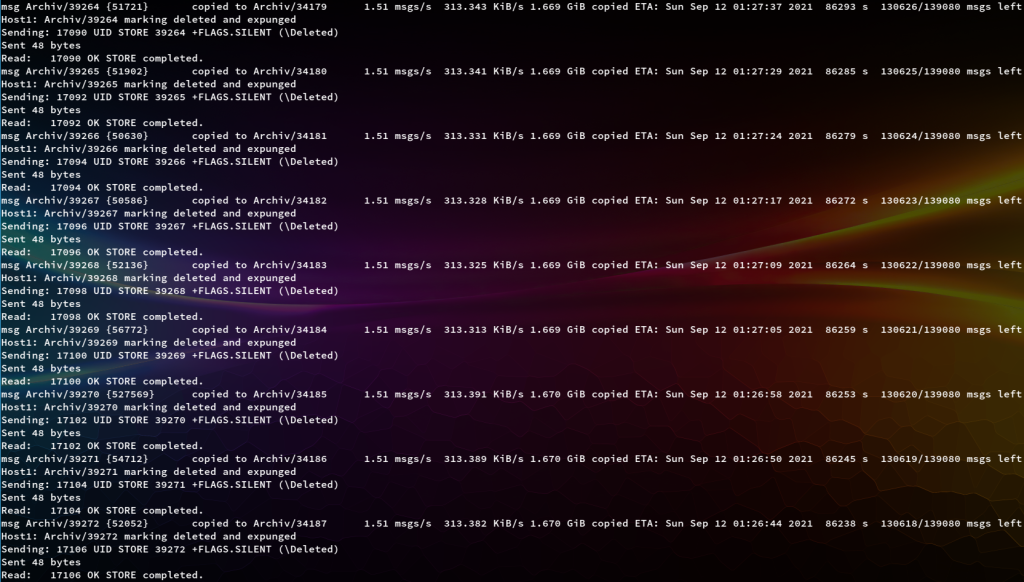
Sample output:

Es scheint, als könnten wir nicht finden, wonach du suchst. Vielleicht hilft eine Suche?

Image Optimization for Pagespeed Insights

On Debian/Ubuntu systems install required packages:

apt install -y advancecomp optipng pngcrush jpegoptim

Create a bash File in

nano /usr/local/bin/optimizeImages

and paste:

#!/bin/bash

find . -type f -iname "*.png" -exec optipng -nb -nc {} \;
find . -type f -iname "*.png" -exec advpng -z4 {} \;
find . -type f -iname "*.png" -exec pngcrush -rem gAMA -rem alla -rem cHRM -rem iCCP -rem sRGB -rem time -ow {} \;
find . -type f \( -iname "*.jpg" -o -iname "*.jpeg" \) -exec jpegoptim -f --strip-all {} \;


Save the file (press F2 in nano). Then make the script executable:

chmod a+x /usr/local/bin/optimizeImages

The running time will be depending on the folder size. Go to your image Folder, for example

cd /var/www/myproject/web/images/

and run

optimizeImages

Now it can take a long time. Stand by … thats all!

Es scheint, als könnten wir nicht finden, wonach du suchst. Vielleicht hilft eine Suche?

CHIA BC

I was fascinated, the idea sounds good at first. If you have free hard disk space available, you could make money with it.

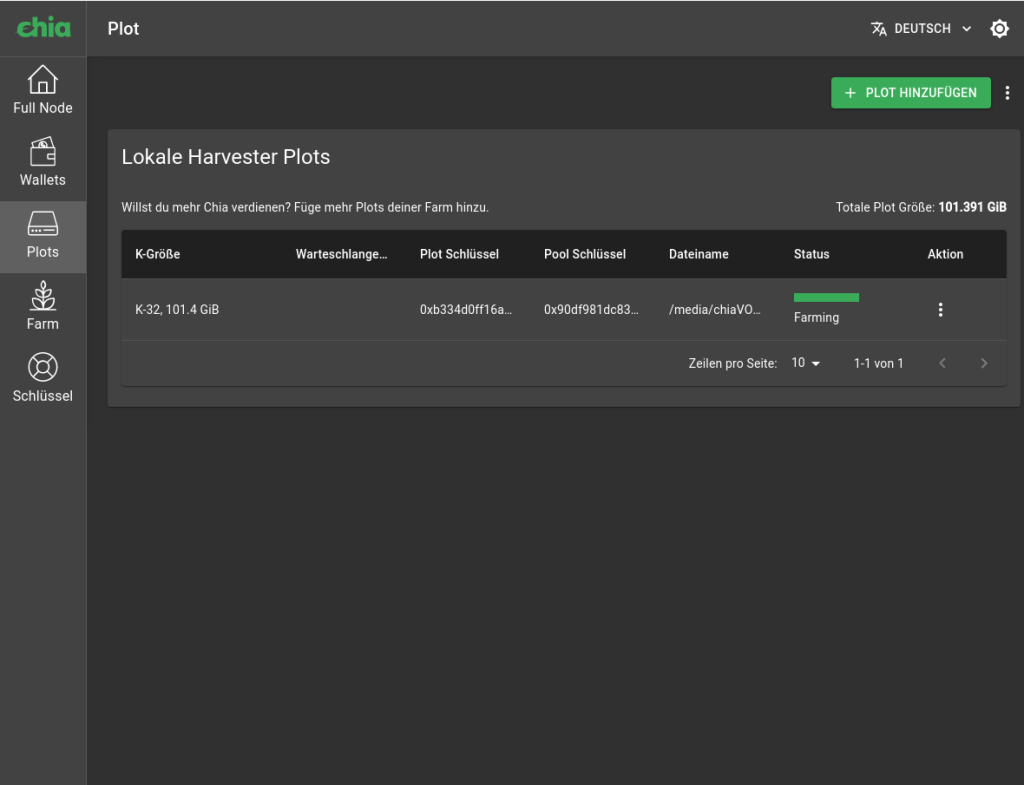
I made a couple of so called «plots», six in total. No problem, there are still over 4TB free on my NAS. And whow, only a short 3 year waiting period.

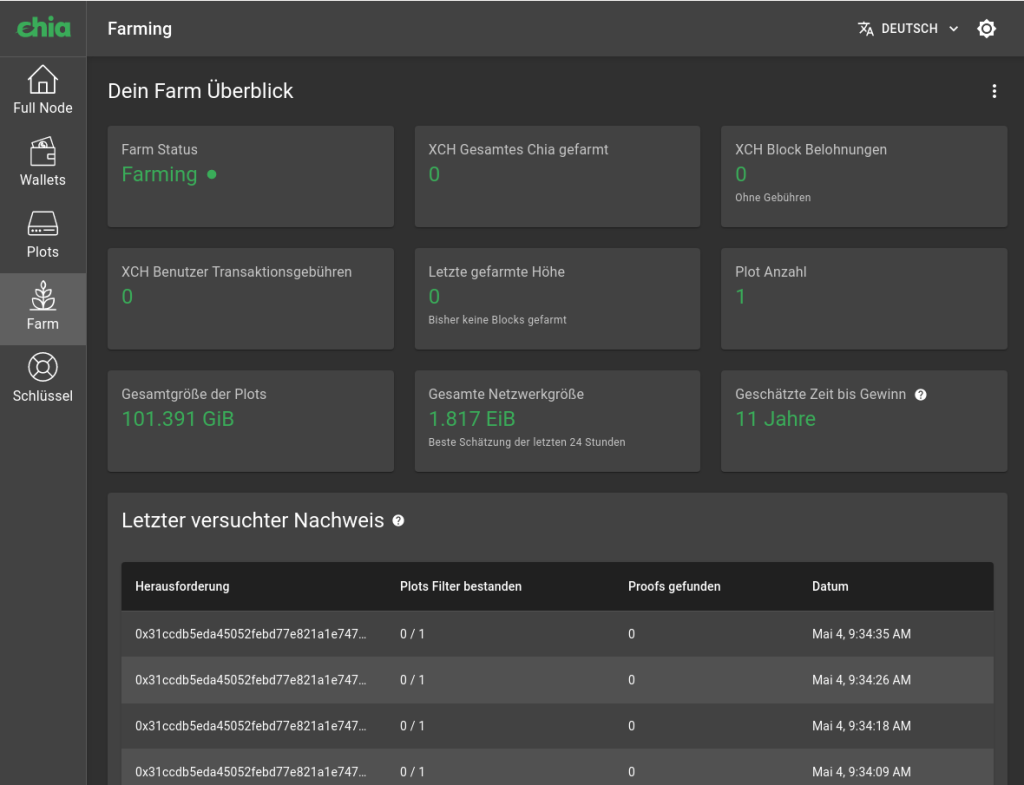
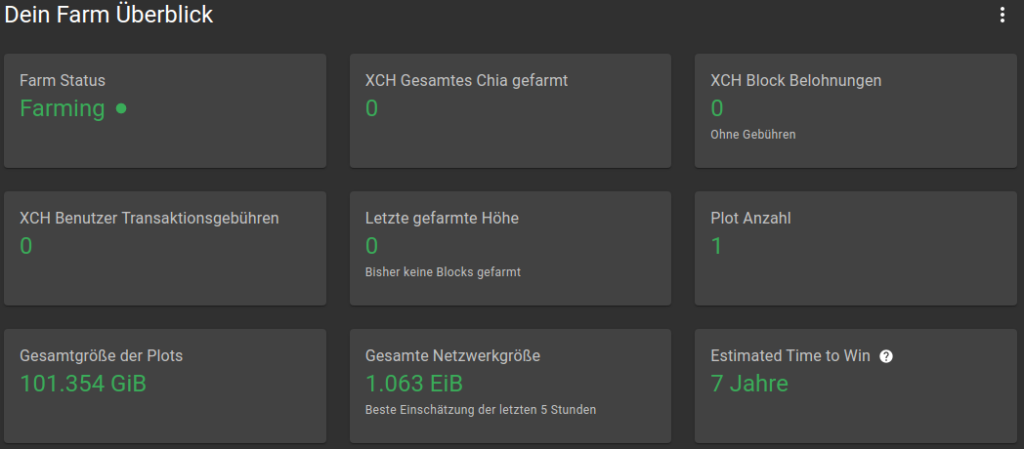
With one plot you were between 11 years and a week later at 13 years. But in the week before that, at 7 years with a plot:

Within the creation time, from the first to the sixth plot, the blockchain grew from 1.8 EiB to 3.3 EiB! Enough market capitalization is available in the meantime and the CHIA went on the coin exchanges.

But then I have to allow a look at my stats of my new NVME. And now I’m a little scared:

root@heiteira /home/breit # smartctl -a /dev/nvme0

smartctl 7.0 2019-05-21 r4917 [x86_64-linux-5.3.18-57-default] (SUSE RPM)
Copyright (C) 2002-18, Bruce Allen, Christian Franke, www.smartmontools.org
=== START OF INFORMATION SECTION ===
Model Number:                       Samsung SSD 980 PRO 1TB
Serial Number:                      S5GXNF0R343228M
Firmware Version:                   2B2QGXA7
PCI Vendor/Subsystem ID:            0x144d
IEEE OUI Identifier:                0x002538
Total NVM Capacity:                 1.000.204.886.016 [1,00 TB]
Unallocated NVM Capacity:           0
Controller ID:                      6
Number of Namespaces:               1
Namespace 1 Size/Capacity:          1.000.204.886.016 [1,00 TB]
Namespace 1 Utilization:            677.679.161.344 [677 GB]
Namespace 1 Formatted LBA Size:     512
Namespace 1 IEEE EUI-64:            002538 b311b16dc1
Local Time is:                      Mon May 10 21:13:29 2021 CEST
Firmware Updates (0x16):            3 Slots, no Reset required
Optional Admin Commands (0x0017):   Security Format Frmw_DL Self_Test
Optional NVM Commands (0x0057):     Comp Wr_Unc DS_Mngmt Sav/Sel_Feat Timestmp
Maximum Data Transfer Size:         128 Pages
Warning  Comp. Temp. Threshold:     82 Celsius
Critical Comp. Temp. Threshold:     85 Celsius
Supported Power States
St Op     Max   Active     Idle   RL RT WL WT  Ent_Lat  Ex_Lat
 0 +     8.49W       -        -    0  0  0  0        0       0
 1 +     4.48W       -        -    1  1  1  1        0     200
 2 +     3.18W       -        -    2  2  2  2        0    1000
 3 -   0.0400W       -        -    3  3  3  3     2000    1200
 4 -   0.0050W       -        -    4  4  4  4      500    9500
Supported LBA Sizes (NSID 0x1)
Id Fmt  Data  Metadt  Rel_Perf
 0 +     512       0         0
=== START OF SMART DATA SECTION ===
SMART overall-health self-assessment test result: PASSED
SMART/Health Information (NVMe Log 0x02)
Critical Warning:                   0x00
Temperature:                        34 Celsius
Available Spare:                    100%
Available Spare Threshold:          10%
Percentage Used:                    0%
Data Units Read:                    32.742.182 [16,7 TB]
Data Units Written:                 29.863.229 [15,2 TB]
Host Read Commands:                 113.055.126
Host Write Commands:                88.847.725
Controller Busy Time:               590
Power Cycles:                       9
Power On Hours:                     238
Unsafe Shutdowns:                   2
Media and Data Integrity Errors:    0
Error Information Log Entries:      0
Warning  Comp. Temperature Time:    0
Critical Comp. Temperature Time:    0
Temperature Sensor 1:               34 Celsius
Temperature Sensor 2:               44 Celsius
Error Information (NVMe Log 0x01, max 64 entries)
No Errors Logged

Data Units Read: 32.742.182 [16,7 TB]
Data Units Written: 29.863.229 [15,2 TB]

For just 0.6TB on my NAS. No NVME will survive this for long!

You should think twice about whether it is worth it, especially since how much space can you really give up permanently?

How many hard drives are there in 5.1 EiB worldwide (as of May 15, 2021)? Just recalculated:

1 EiB ~= 1152921 TB and 504 GB

Then multiply the result by 5. And are they all connected to this BlockChain at this moment? Are they all online just for that?

A new hype and a big black hole for pointless waste of resources. The Chia is not «greener» than the BitCoin. It’s not like people sacrifice their free space in order to generate money with it. These people have no chance of being selected with their few TB (chia selection process). It will therefore run in such a way that there will be further hardware and chip shortages in the future, because greedy companies already stock up on hardware in order to be able to generate this new crypto currency. And similar to graphics cards, the prices for NVME’s and SSD’s will soon explode.

Es scheint, als könnten wir nicht finden, wonach du suchst. Vielleicht hilft eine Suche?

easy XMRIG on Debian Buster

To get started easily, the following lines may help:

cd /opt
apt update
apt install -y git cmake libhwloc-dev libuv1-dev libuvc-dev librust-openssl-dev
git clone https://github.com/xmrig/xmrig.git
mkdir xmrig/build
cd xmrig/build
cmake ..
make -jxx   # xx = Your CPU thread count
ln -s /opt/xmrig/build/xmrig /usr/local/bin/

Now we can just run xmrig. As an an example:

xmrig \
-a cryptonight \
-o stratum+tcp://randomxmonero.eu.nicehash.com:3380 \
-u <YourHolyWalletHash> \
-p <YourHolyPassword> \
--donate-level=5 \
--threads=4

Es scheint, als könnten wir nicht finden, wonach du suchst. Vielleicht hilft eine Suche?

Playtime with scrapy

example config File – breit_work.py:

# -*- coding: utf-8 -*-
import scrapy


class BreitWorkSpider(scrapy.Spider):
    name = 'breit.work'
    allowed_domains = ['breit.work']
    start_urls = ['https://breit.work/']

    def parse(self, response):
        for title in response.css('h3'):
            yield {'title 1': title.css('a ::text').get()}

        for title in response.css('h2'):
            yield {'title 2': title.css('a ::text').get()}

        for next_page in response.css('a.next-posts-link'):
            yield response.follow(next_page, self.parse)

run with:

scrapy runspider breit_work.py

example output:

2020-10-13 11:05:26 [scrapy.utils.log] INFO: Scrapy 1.8.0 started (bot: scrapybot)
2020-10-13 11:05:26 [scrapy.utils.log] INFO: Versions: lxml 4.5.2.0, libxml2 2.9.10, cssselect 1.1.0, parsel 1.6.0, w3lib 1.22.0, Twisted 20.3.0, Python 2.7.16 (default, Oct 10 2019, 22:02:15) - [GCC 8.3.0], pyOpenSSL 19.1.0 (OpenSSL 1.1.1d  10 Sep 2019), cryptography 2.6.1, Platform Linux-4.19.0-10-amd64-x86_64-with-debian-10.5
2020-10-13 11:05:26 [scrapy.crawler] INFO: Overridden settings: {'SPIDER_LOADER_WARN_ONLY': True}
2020-10-13 11:05:26 [scrapy.extensions.telnet] INFO: Telnet Password: ~not4YouNoob*
2020-10-13 11:05:26 [scrapy.middleware] INFO: Enabled extensions:
['scrapy.extensions.memusage.MemoryUsage',
 'scrapy.extensions.logstats.LogStats',
 'scrapy.extensions.telnet.TelnetConsole',
 'scrapy.extensions.corestats.CoreStats']
2020-10-13 11:05:26 [scrapy.middleware] INFO: Enabled downloader middlewares:
['scrapy.downloadermiddlewares.httpauth.HttpAuthMiddleware',
 'scrapy.downloadermiddlewares.downloadtimeout.DownloadTimeoutMiddleware',
 'scrapy.downloadermiddlewares.defaultheaders.DefaultHeadersMiddleware',
 'scrapy.downloadermiddlewares.useragent.UserAgentMiddleware',
 'scrapy.downloadermiddlewares.retry.RetryMiddleware',
 'scrapy.downloadermiddlewares.redirect.MetaRefreshMiddleware',
 'scrapy.downloadermiddlewares.httpcompression.HttpCompressionMiddleware',
 'scrapy.downloadermiddlewares.redirect.RedirectMiddleware',
 'scrapy.downloadermiddlewares.cookies.CookiesMiddleware',
 'scrapy.downloadermiddlewares.httpproxy.HttpProxyMiddleware',
 'scrapy.downloadermiddlewares.stats.DownloaderStats']
2020-10-13 11:05:26 [scrapy.middleware] INFO: Enabled spider middlewares:
['scrapy.spidermiddlewares.httperror.HttpErrorMiddleware',
 'scrapy.spidermiddlewares.offsite.OffsiteMiddleware',
 'scrapy.spidermiddlewares.referer.RefererMiddleware',
 'scrapy.spidermiddlewares.urllength.UrlLengthMiddleware',
 'scrapy.spidermiddlewares.depth.DepthMiddleware']
2020-10-13 11:05:26 [scrapy.middleware] INFO: Enabled item pipelines:
[]
2020-10-13 11:05:26 [scrapy.core.engine] INFO: Spider opened
2020-10-13 11:05:26 [scrapy.extensions.logstats] INFO: Crawled 0 pages (at 0 pages/min), scraped 0 items (at 0 items/min)
2020-10-13 11:05:26 [scrapy.extensions.telnet] INFO: Telnet console listening on 127.0.0.1:6023
2020-10-13 11:05:26 [scrapy.downloadermiddlewares.redirect] DEBUG: Redirecting (301) to <GET https://www.breit.work/> from <GET https://breit.work/>
2020-10-13 11:05:26 [scrapy.core.engine] DEBUG: Crawled (200) <GET https://www.breit.work/> (referer: None)
2020-10-13 11:05:27 [scrapy.core.scraper] DEBUG: Scraped from <200 https://www.breit.work/>
{'title 1': u'Impress'}
2020-10-13 11:05:27 [scrapy.core.scraper] DEBUG: Scraped from <200 https://www.breit.work/>
{'title 2': u'Boston Dynamics spielt mit dem Krieg'}
2020-10-13 11:05:27 [scrapy.core.scraper] DEBUG: Scraped from <200 https://www.breit.work/>
{'title 2': u'It\u2019s done \u2026 Bye bye Britain !'}
2020-10-13 11:05:27 [scrapy.core.scraper] DEBUG: Scraped from <200 https://www.breit.work/>
{'title 2': u'Play with redis-server'}
2020-10-13 11:05:27 [scrapy.core.scraper] DEBUG: Scraped from <200 https://www.breit.work/>
{'title 2': u'dd with a nice progress indicator'}
2020-10-13 11:05:27 [scrapy.core.scraper] DEBUG: Scraped from <200 https://www.breit.work/>
{'title 2': u'XEN 4.11 on Debian 10'}
2020-10-13 11:05:27 [scrapy.core.scraper] DEBUG: Scraped from <200 https://www.breit.work/>
{'title 2': u'Redis 6.0 is out'}
2020-10-13 11:05:27 [scrapy.core.scraper] DEBUG: Scraped from <200 https://www.breit.work/>
{'title 2': u'Setup Pageflow Storytelling with NGINX & Lets Encrypt'}
2020-10-13 11:05:27 [scrapy.core.scraper] DEBUG: Scraped from <200 https://www.breit.work/>
{'title 2': u'MySQL 8 \u2013 create Database with own user'}
2020-10-13 11:05:27 [scrapy.core.scraper] DEBUG: Scraped from <200 https://www.breit.work/>
{'title 2': u'Schade REAL, das war es leider'}
2020-10-13 11:05:27 [scrapy.core.scraper] DEBUG: Scraped from <200 https://www.breit.work/>
{'title 2': u't\xe4gliche Mysql-Backups'}
2020-10-13 11:05:27 [scrapy.core.scraper] DEBUG: Scraped from <200 https://www.breit.work/>
{'title 2': u'Setup Redis-Server 6.0.0 Beta'}
2020-10-13 11:05:27 [scrapy.core.scraper] DEBUG: Scraped from <200 https://www.breit.work/>
{'title 2': u'Lustiges beim Server Einrichten'}
2020-10-13 11:05:27 [scrapy.core.scraper] DEBUG: Scraped from <200 https://www.breit.work/>
{'title 2': None}
2020-10-13 11:05:27 [scrapy.core.scraper] DEBUG: Scraped from <200 https://www.breit.work/>
{'title 2': None}
2020-10-13 11:05:27 [scrapy.core.engine] INFO: Closing spider (finished)
2020-10-13 11:05:27 [scrapy.statscollectors] INFO: Dumping Scrapy stats:
{'downloader/request_bytes': 422,
 'downloader/request_count': 2,
 'downloader/request_method_count/GET': 2,
 'downloader/response_bytes': 26080,
 'downloader/response_count': 2,
 'downloader/response_status_count/200': 1,
 'downloader/response_status_count/301': 1,
 'elapsed_time_seconds': 0.361133,
 'finish_reason': 'finished',
 'finish_time': datetime.datetime(2020, 10, 13, 11, 5, 27, 61229),
 'item_scraped_count': 15,
 'log_count/DEBUG': 17,
 'log_count/INFO': 10,
 'memusage/max': 51576832,
 'memusage/startup': 51576832,
 'response_received_count': 1,
 'scheduler/dequeued': 2,
 'scheduler/dequeued/memory': 2,
 'scheduler/enqueued': 2,
 'scheduler/enqueued/memory': 2,
 'start_time': datetime.datetime(2020, 10, 13, 11, 5, 26, 700096)}
2020-10-13 11:05:27 [scrapy.core.engine] INFO: Spider closed (finished)

Es scheint, als könnten wir nicht finden, wonach du suchst. Vielleicht hilft eine Suche?

dd with a nice progress indicator

Example for Blockdevices:


You may need the following additional packages: sudo pv

DISKSIZE=`sudo blockdev --getsize64 /dev/vol0/target-disk` && sudo dd bs=4096 if=/dev/vol0/target-disk | pv -s $DISKSIZE | sudo gzip -9 > target-disk.img.gz

Example Result:

Es scheint, als könnten wir nicht finden, wonach du suchst. Vielleicht hilft eine Suche?

XEN 4.11 on Debian 10

Extended Setup with additional bpo linux-image

Setup for Hetzner dedicated Servers

In order to set up the XEN hypervisor on a newly set up Hetzner server, the following actions must be carried out. First edit /etc/apt/sources.list and add:

# buster backports
deb http://http.debian.net/debian buster-backports main

then:

apt update  
apt -y dist-upgrade
apt -y install htop mc rsync screen nload net-tools locate aptitude linux-headers-5.4.0-0.bpo.2-amd64 linux-support-5.4.0-0.bpo.2 linux-image-5.4.0-0.bpo.2-amd64 bash-completion xenstore-utils xen-utils-common xen-utils-4.11 xen-tools xen-hypervisor-4.11-amd64 libxenstore3.0 grub-xen-bin

adjust bootloader:

mv /etc/grub.d/10_linux /etc/grub.d/20_linux && mv /etc/grub.d/20_linux_xen /etc/grub.d/10_linux_xen

Edit the file /etc/default/grub and replace the lines:

GRUB_CMDLINE_LINUX_DEFAULT="nomodeset consoleblank=0"  
GRUB_CMDLINE_LINUX=""

with:

GRUB_CMDLINE_LINUX_DEFAULT="console=tty0 acpi=ht"  
GRUB_CMDLINE_XEN_DEFAULT="dom0_mem=512M dom0_max_vcpus=1"  
GRUB_CMDLINE_LINUX=""

This gives Dom0 a vCPU and 512m RAM. These settings are sufficient for normal operation.
Finally, edit the file /etc/default/grub.d/xen.cfg and change the line:

# XEN_OVERRIDE_GRUB_DEFAULT=0

to

XEN_OVERRIDE_GRUB_DEFAULT=1

Now udate the Bootloader with new configuration:

update-grub2

Setup a networkbridge

An example standard configuration file from Hetzner can look like this:

### Hetzner Online GmbH installimage  

source /etc/network/interfaces.d/*  

auto lo  
iface lo inet loopback  
iface lo inet6 loopback  

auto enp34s0
iface enp34s0 inet static  
address 135.181.x.x  
netmask 255.255.255.192  
gateway 135.181.x.x

# route 135.181.3.0/26 via 135.181.3.1  
up route add -net 135.181.3.0 netmask 255.255.255.192 gw 135.181.3.1 dev enp34s0  

iface enp34s0 inet6 static  
address 2a01:4f9:4b:4fe6::2  
netmask 64

and should be changed according to this example as follows

### Hetzner Online GmbH installimage  

source /etc/network/interfaces.d/*  

auto lo  
iface lo inet loopback  
iface lo inet6 loopback  

allow-hotplug enp34s0  
iface enp34s0 inet manual  
iface enp34s0 inet6 manual  

auto br0  
iface br0 inet static  
address 135.181.3.25  
netmask 255.255.255.192  
gateway 135.181.3.1  
bridge_ports enp34s0  
bridge_stp off  

# route 135.181.3.0/26 via 135.181.3.1  
# up route add -net 135.181.3.0 netmask 255.255.255.192 gw 135.181.3.1 dev enp34s0  

iface br0 inet6 static  
address 2a01:4f9:4b:4fe6::2  
netmask 64

Thats all. Now reboot the server

reboot && exit

Es scheint, als könnten wir nicht finden, wonach du suchst. Vielleicht hilft eine Suche?

Setup Pageflow Storytelling with NGINX & Lets Encrypt

Es war nicht unbedingt einfach, aber nicht unmöglich. Da die Dokumentionen nicht besten sind, die man findet, oder teilweise auch unvollständig, habe ich hier meine eigene Anleitung für einen eigenen Pageflow-Server:

[protectedContentOpen][/protectedContentOpen]

# SETUP PAGEFLOW - Debian 10
#
# Um pageflow auf einem frisch installierten Debian 10 sind folgende Schritte durchzuführen: 
#
apt update
apt install sudo lsb-release bash-completion htop net-tools aptitude mc rsync screen nload locate wget git build-essential ruby2.5-dev ruby-rails rails redis-server imagemagick imagemagick-common imagemagick-doc libsqlite3-dev libodb-sqlite-dev zlib1g-dev zlibc libghc-bzlib-dev libcrypto++-dev libssl-dev nginx -y
cd /tmp
wget https://dev.mysql.com/get/mysql-apt-config_0.8.13-1_all.deb
dpkg -i mysql-apt-config_0.8.13-1_all.deb
apt update
apt install mysql-server default-libmysqlclient-dev default-libmysqld-dev -y
git clone https://github.com/codevise/pageflow.git
mkdir /opt/pageflow
rsync -av pageflow/ /opt/pageflow/
cd /opt/pageflow/

mysql -p

create database ownpageflow;
create user 'ownpageflow'@'localhost' IDENTIFIED BY 'My$secRetPassw0rd';
grant all on *.* TO 'ownpageflow'@'localhost';
flush privileges;
quit;

sudo gem install mysql2 -v '0.5.3'
sudo gem install rake
sudo gem install rainbow -v '2.2.2'
sudo gem install listen
sudo bundle install

# RAILS Starter vorbereiten

echo "cd /opt/pageflow/ownpageflow/ && foreman start" > .foreman.start
echo "cat /opt/pageflow/ownpageflow/tmp/pids/server.pid | xargs kill -9  > /dev/null && rm -rf /opt/pageflow/ownpageflow/tmp/pids/server.pid  > /dev/null" > .foreman.stop
chmod a+x .foreman*

echo '#!/bin/bash

screen -d -m -S pageflow bash /opt/pageflow/ownpageflow/.foreman.start &> /dev/null' > /usr/local/bin/pageflow.start

echo '#!/bin/bash

/opt/pageflow/ownpageflow/.foreman.stop' > /usr/local/bin/pageflow.stop

chmod a+x /usr/local/bin/pageflow*

echo '[Unit]
Description=Advanced key-value store
After=network.target
Documentation=http://redis.io/documentation, man:redis-server(1)

[Service]
Type=forking
ExecStart=/usr/local/bin/pageflow.start
ExecStop=/bin/kill -s TERM $MAINPID
PIDFile=/opt/pageflow/ownpageflow/tmp/pids/server.pid
TimeoutStopSec=0
Restart=always
User=root
Group=root
RuntimeDirectory=redis
RuntimeDirectoryMode=2755

UMask=007
PrivateTmp=yes
LimitNOFILE=65535

[Install]
WantedBy=multi-user.target
Alias=pageflow.service' > /lib/systemd/system/pageflow.service

systemctl enable pageflow.service

systemctl start pageflow.service

# NGINX Configuration erstellen

echo 'server {
  listen 80 deferred;
  server_name myhost.de;
  root /opt/pageflow/ownpageflow;

  location / {
    try_files $uri/index.html $uri.html $uri @app;
  }

  location @app {
    proxy_set_header X-Forwarded-For $proxy_add_x_forwarded_for;
    proxy_set_header X-Forwarded-Proto $scheme;
    proxy_set_header Host $http_host;
    proxy_redirect off;
    proxy_pass http://localhost:5000;
  }
}' > /etc/nginx/sites-available/myhost.cfg

ln -s /etc/nginx/sites-available/myhost.cfg /etc/nginx/sites-enabled

service restart nginx

# Setup LETS ENCRYPT

cd /usr/local/bin
wget https://dl.eff.org/certbot-auto
chmod a+x certbot-auto
./certbot-auto --install-only

# cerbot nun nochmal ausführen und Anweisungen durchlaufen um myhost.de mit lets-encrypt zu verifizieren und anschliessend den Web-Server neu starten

certbot-auto

service nginx restart

# Damit sollte pageflow nun zunächst im Browser unter der eingerichteten Domain myhost.de erreichbar


##############################################
# PERSONALISIERUNG AWS / S3 / Amazon Services
##############################################
#
# Um AWS / S3 / Amazon Services benutzen zu können muss die Datei
#
# ./config/initializers/pageflow.rb
#
# angepasst werden. 
#
# Anschliessend sollte der Pageflow-Service neu gestartet werden.
#
# Wenn alles richtig eingerichtet wurde, kann man nun Medien via Pageflow organisieren. 

[protectedContentClose][/protectedContentClose]

Es scheint, als könnten wir nicht finden, wonach du suchst. Vielleicht hilft eine Suche?